
Topdon Scanner: The Complete UK Guide for 2026
Everything you need to know about Topdon diagnostic tools — from the entry-level Carpal-A to professional all-system scanners. Real-world testing, honest comparisons, and practical buying advice for UK car owners and mechanics.
What Is Topdon and Why Does It Matter?
Topdon is a Shenzhen-based automotive diagnostics manufacturer that's been making serious waves in the UK market since 2020. Their scanners connect to your car's OBD2 port — that 16-pin connector usually tucked under the dashboard — and pull fault codes, live sensor data, and system information straight from the ECU.
Why should you care? Because a decent diagnostic tool saves you money. Simple as that.
I've been using OBD2 scanners for about four years now. Started after my 2014 Focus threw a check engine light on the Newtownards Road and the local garage wanted £65 just for a diagnostic read. Sixty-five quid to plug in a cable and read a code. That stung enough to make me buy my own kit.
The best OBD2 scanner UK buyers can get doesn't have to cost hundreds. Topdon's range starts around £25 for basic code readers and tops out at roughly £600 for their professional tablet-style units. For most home mechanics and part-time tinkerers, something in the £30–£90 bracket does the job brilliantly.
All vehicles sold in the UK after 2001 (petrol) and 2004 (diesel) are required to have OBD2 ports fitted, as mandated by DVSA regulations. That means your Topdon diagnostic tool will work with the vast majority of cars on British roads today.
The Topdon Scanner Range: Which Model Fits Your Needs?

Topdon UK offers roughly 12 scanner models as of spring 2026. They break down into three tiers: basic code readers, mid-range Bluetooth scanners, and professional all-system diagnostic tools.
Entry Level: Code Readers (£25–£50)
These handle the basics. Read and clear engine fault codes, check MOT readiness status, view freeze frame data. The Topdon AL300 sits here — no frills, does what it says on the tin. Plug in, read, done.
Mid-Range: Bluetooth OBD2 Scanners (£50–£120)
This is where the Topdon Carpal-A lives. Bluetooth connectivity, smartphone app integration, live data streaming. You get engine, transmission, ABS, and SRS coverage on most vehicles. Honestly, this tier represents the sweet spot for anyone doing their own maintenance.
Professional: All-System Tablets (£200–£600)
The ArtiDiag series. Bi-directional control, key programming, injector coding, DPF regeneration. Garage-level kit. If you're running a mobile mechanic business, these earn their keep within a month. Check out the all-system OBD2 scanner options for the full professional range.
Topdon Carpal-A: Hands-On Review for 2026

The Carpal OBD scanner is Topdon's most popular Bluetooth unit in the UK market right now. I've had mine since late 2024 and it's been through three cars — my own Focus, my neighbour's Qashqai, and a mate's 2019 Golf that kept throwing intermittent misfires.
What's in the Box
The unit itself is tiny. About the size of a matchbox, maybe slightly thicker. You get the Bluetooth OBD2 dongle, a quick-start guide, and that's it. Everything else happens through the Topdon app on your phone., a favourite among Britain’s tradespeople
Connection and Setup
Plug it into the OBD2 port. Open the app. Pair via Bluetooth. The whole process took me under 2 minutes first time round. Well, actually — it took about 4 minutes because I initially searched for it in my phone's general Bluetooth settings rather than pairing through the app itself. Lesson learned.
Real-World Performance
Code reading is instant. Live data refreshes at roughly 4–6 frames per second depending on the parameter. I've monitored coolant temperature, fuel trims, O2 sensor voltages, and throttle position without any lag worth mentioning.
The Topdon Carpal-A covers four main systems: engine, transmission, ABS, and airbag (SRS). That's more than most Bluetooth scanners at this price point, which typically only handle engine codes.
Carpal-A Specifications:
- Connectivity: Bluetooth 4.0 (10m range)
- Compatibility: iOS 11+ / Android 7.0+
- Protocols: All 5 OBD2 protocols supported
- Systems: Engine, Transmission, ABS, SRS
- Updates: Free lifetime via app
- Vehicle coverage: 80+ manufacturers, 2001+ models
So what's the catch? It won't do bi-directional testing. You can't force a DPF regen or bleed ABS modules. For that, you need the professional tier. But for reading codes, monitoring live data, and checking if your car will pass its MOT emissions test? Spot on.
Topdon vs Autel: The Honest Comparison
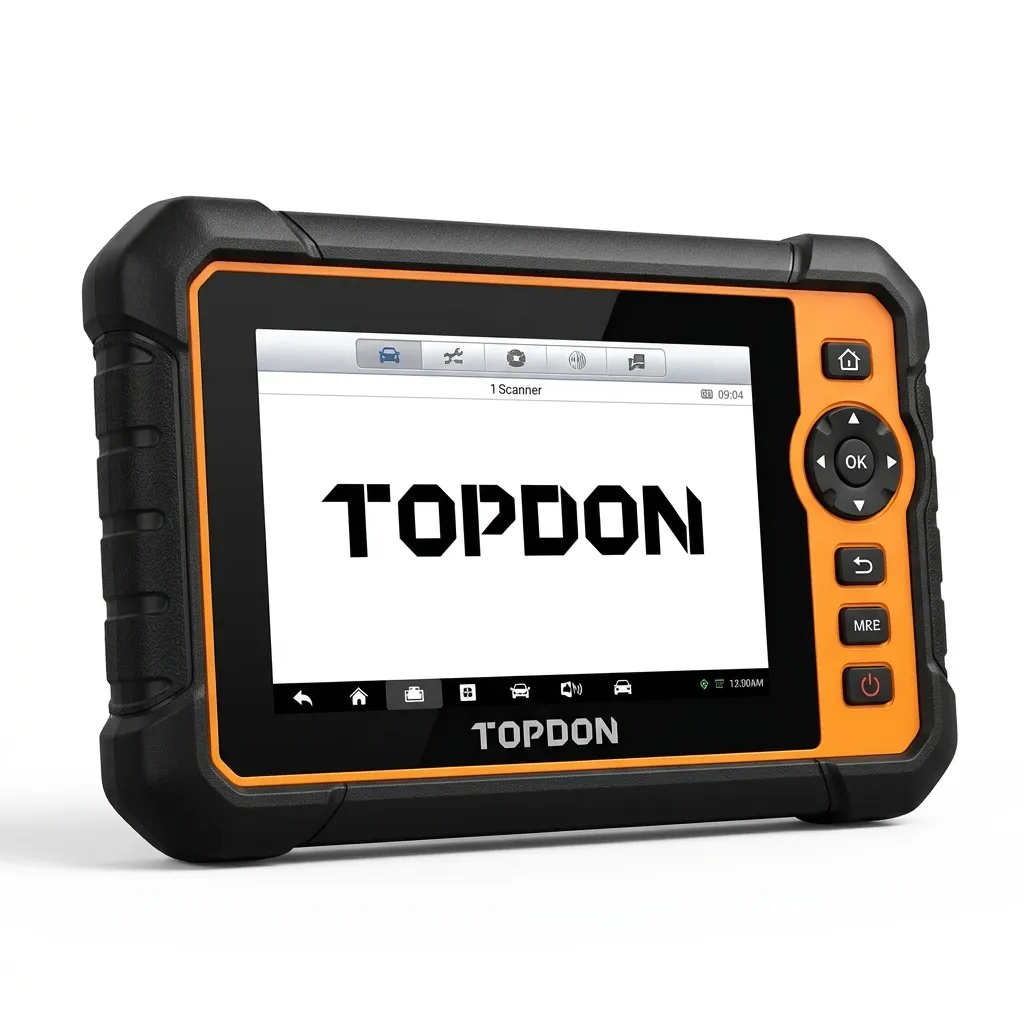
This is the question I get asked most. Both brands make solid diagnostic tools. Both have strong UK presence. Here's how they actually stack up based on my experience with both.
| Feature | Topdon Carpal-A | Autel AP200 | Topdon ArtiDiag600 | Autel MK808S |
|---|---|---|---|---|
| Price (UK, June 2026) | £49–£65 | £55–£70 | £299–£350 | £380–£450 |
| Connection Type | Bluetooth | Bluetooth | USB / WiFi | WiFi |
| System Coverage | 4 systems | All systems (1 vehicle free) | All systems | All systems |
| Bi-Directional Control | No | No | Yes | Yes |
| Annual Subscription | None | £49.99/year after year 1 | None (2 years free) | £129/year after year 1 |
| App Rating (iOS) | 4.3/5 | 3.8/5 | 4.5/5 | 4.1/5 |
| UK Support | Email + live chat | Email only | Priority support | Email + phone |
The big differentiator? Subscription costs. Autel locks you into annual fees after the first year on most models. Topdon gives you free lifetime updates on their Bluetooth scanners and 2 years free on professional units. Over 3 years, that Autel AP200 actually costs you £155+ while the Topdon equivalent stays at its purchase price.
My mate swears by his Autel MaxiCOM, and I get why — the interface is polished and the vehicle coverage is excellent. But for bang for your buck, especially if you're scanning multiple vehicles, Topdon's no-subscription model wins. The Which? guide to car diagnostic tools echoes this — ongoing costs matter as much as the initial purchase price.
That said, if you need manufacturer-specific coverage for something obscure — older Citroëns, certain Korean imports — Autel sometimes has deeper protocol support. Worth checking compatibility before you buy either brand.
Setting Up the Topdon App: Step-by-Step
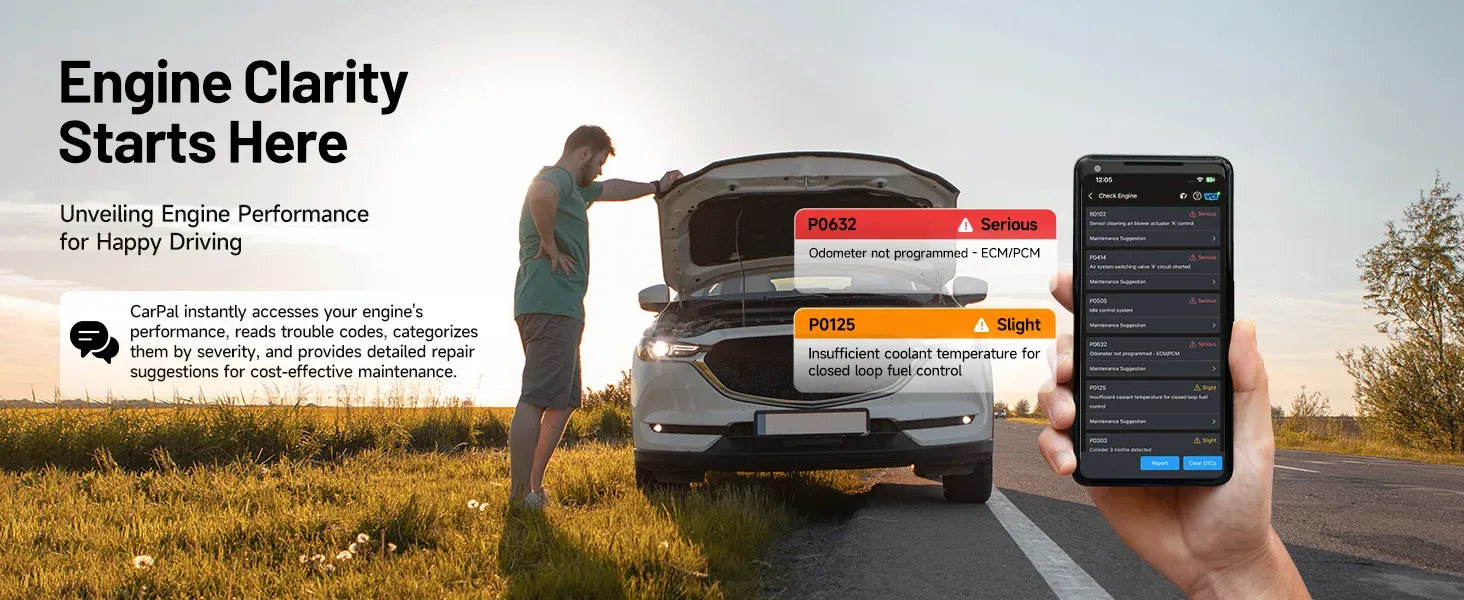
The Topdon app (called "Topdon" on both app stores) is your interface for all Bluetooth-connected scanners. Here's the setup process that actually works, because the official guide skips a few bits.
Download and Registration
Search "Topdon" in the App Store or Google Play. The correct app has a blue icon with a white car silhouette. Create an account with your email — you'll need this for Topdon support access later and to sync diagnostic reports across devices., popular across England
First Connection
- Plug the scanner into your car's OBD2 port (ignition on, engine can be off)
- Open the Topdon app — don't pair through phone settings
- Tap "Connect Device" and select your scanner from the list
- Enter your vehicle's registration or select make/model/year manually
- Wait 10–15 seconds for the initial handshake
Common Setup Issues
If it won't connect: check your phone's location services are enabled. Android requires this for Bluetooth scanning — annoying but necessary. On iPhone, make sure you've granted Bluetooth permission in Settings > Privacy.
I'd recommend running the app update check immediately after install. Topdon pushes firmware updates through the app roughly every 6–8 weeks, and the initial version on a new scanner is often 2–3 updates behind.
Topdon Support Options
If you hit problems, Topdon UK offers email support (typically 24–48 hour response) and live chat during business hours. Their knowledge base covers about 200 common issues. I've used it twice — once for a connection dropout issue that turned out to be a low car battery, and once for a VIN decode error on a 2022 Kia.
Pairing Your Topdon Diagnostic with a Vehicle History Check
Here's something most scanner guides won't tell you. A diagnostic scan shows you what's happening with a car right now. A vehicle history check tells you what's happened to it before. Use both together and you've got the full picture — especially useful when buying a used car.
Think about it. Your Topdon OBD2 scanner might show clean codes, but that doesn't mean codes weren't recently cleared to hide problems before a sale. A car history check UK service reveals outstanding finance, write-off status, mileage discrepancies, and plate changes that no scanner can detect.
What a Free Car Check Covers
A free car check UK service like Motscan lets you run a car check by reg that pulls MOT history, tax status, and basic vehicle details. The best free car check UK tools give you MOT advisory history too — which tells you about recurring issues that your OBD scanner can then investigate further.
The Smart Buying Process
When I'm looking at a used car, my process goes like this:
- Run a car tax check and MOT history online first — takes 30 seconds
- Use a car check app UK service for the full history report
- Physically inspect the car
- Plug in the Topdon scanner and check for stored/pending codes
- Monitor live data during a test drive (coolant temp, misfires, fuel trims)
The Motscan free car check is particularly useful here because it pulls data from DVLA, VOSA, and insurance databases in one go. The best vehicle history check UK services cross-reference multiple data sources — something a best car check app UK should do automatically.
Worth the extra spend on a full history report? Absolutely. A £10–£20 check could save you thousands on a car with hidden finance or accident damage. The best professional OBD2 scanner UK buyers can get still won't reveal that a car was previously written off. Different tools, different jobs.
Best Bluetooth OBD2 Scanner UK: Where Topdon Fits in 2026
The best bluetooth OBD2 scanner UK market has exploded this year. You've got options from £15 generic ELM327 clones right up to £200+ professional Bluetooth units. Here's where Topdon sits honestly.
For under £70, the Topdon Carpal-A offers the best balance of system coverage, app quality, and zero subscription fees. The OBD2 scanner UK buying guide breaks down the full market, but in short — if you want more than just engine codes without paying Autel's annual fees, Topdon's your best bet., with availability in Scotland
Look, I know there are cheaper options on Amazon. I've tried a few. The £15 Bluetooth dongles work — sort of. They'll read basic codes on most cars. But the apps are riddled with ads, the connection drops constantly, and you get zero support when something doesn't work. False economy.
The scanner Topdon builds at the mid-range hits a sweet spot: reliable hardware, a clean app interface, genuine manufacturer support, and coverage that goes beyond just the engine ECU. For anyone doing their own servicing or buying/selling used cars regularly, it pays for itself after two or three uses that would otherwise mean a trip to the garage.
Cost comparison — DIY diagnostics vs garage visits (2026 UK averages):
- Garage diagnostic read: £45–£85 per visit
- Mobile mechanic diagnostic: £35–£60 per visit
- Topdon Carpal-A (one-off purchase): £49–£65
- Break-even point: 1–2 uses
Frequently Asked Questions
Is the Topdon scanner compatible with all UK cars?
Topdon scanners work with all OBD2-compliant vehicles, which includes UK petrol cars from 2001 onwards and diesels from 2004 onwards. Coverage spans 80+ manufacturers and over 10,000 models. Some older vehicles or grey imports may have limited functionality, so check Topdon's compatibility list before purchasing.
Does the Topdon Carpal-A require a subscription?
No. The Topdon Carpal-A includes free lifetime software updates with no annual subscription fees. This contrasts with competitors like Autel, which charges £49.99–£129 per year after the first year. You register once through the Topdon app and receive all future updates at no additional cost.
Can a Topdon scanner tell me if a used car is safe to buy?
A Topdon diagnostic tool reveals current mechanical and electrical faults, but it can't show finance status, write-off history, or mileage clocking. Pair your scanner with a vehicle history check service like motscan for the complete picture. The scanner handles the mechanical side; the history check covers the legal and financial risks.
What's the difference between Topdon OBD2 scanners and professional garage equipment?
Professional garage equipment (£2,000–£8,000) offers dealer-level programming, module coding, and oscilloscope functions. Topdon's professional range (£200–£600) covers 90% of common diagnostic tasks including bi-directional control and special functions. The entry-level Bluetooth scanners (£49–£65) handle code reading, live data, and basic system scans — sufficient for most home mechanics.
How do I update my Topdon scanner firmware?
Open the Topdon app, handle to "My Device," and tap "Check for Updates." Bluetooth scanners update over the air in 2–5 minutes. Tablet-style scanners update via WiFi and may take 10–15 minutes for major releases. Topdon pushes updates approximately every 6–8 weeks, adding new vehicle coverage and bug fixes.
Where can I buy a genuine Topdon scanner in the UK?
Genuine Topdon UK products are available through authorised retailers including Motscan, Amazon UK, and Topdon's own website. Prices range from £25 for basic code readers to £600 for professional tablets. Avoid suspiciously cheap listings on marketplace sites — counterfeit OBD2 dongles are common and may damage your vehicle's electronics.
Key Takeaways
- The Topdon Carpal-A offers 4-system coverage (engine, transmission, ABS, SRS) for £49–£65 with no subscription fees — making it the strongest value Bluetooth OBD2 scanner in the UK for 2026.
- Topdon vs Autel comes down to ongoing costs: Autel charges £49–£129/year after year one, while Topdon includes free lifetime updates on Bluetooth models.
- A diagnostic scanner shows current faults; a vehicle history check reveals past problems. Use both together when buying a used car for complete protection.
- All UK petrol cars from 2001 and diesels from 2004 are OBD2 compatible, meaning Topdon scanners work with 98% of vehicles currently on British roads.
- The break-even point is 1–2 uses compared to garage diagnostic fees of £45–£85 per visit.
- Free car check services like Motscan complement your scanner by revealing finance, write-off status, and MOT history that no OBD2 tool can access.
- Always pair through the Topdon app, not your phone's Bluetooth settings, and ensure location services are enabled on Android for reliable connections.
Ready to try Topdon?
Shop Now — £98.75